// UI_GALLERY.MD
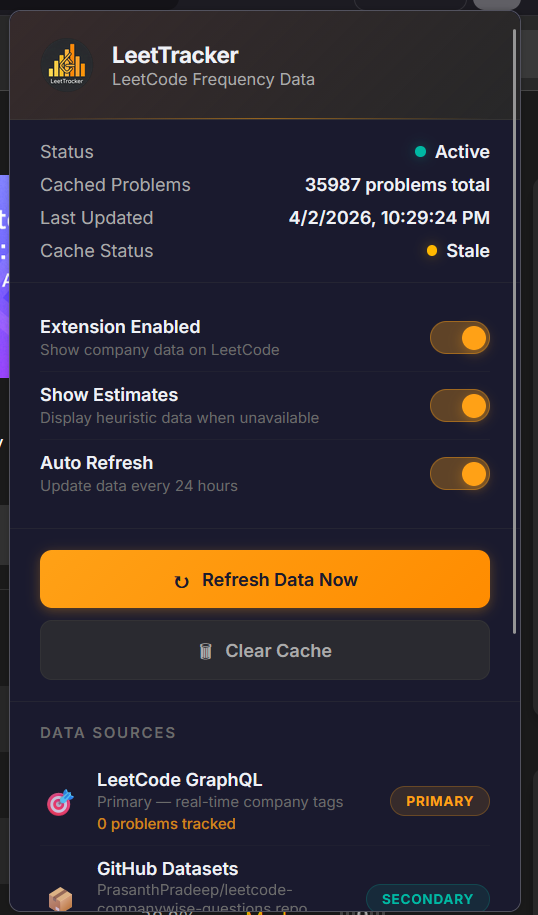
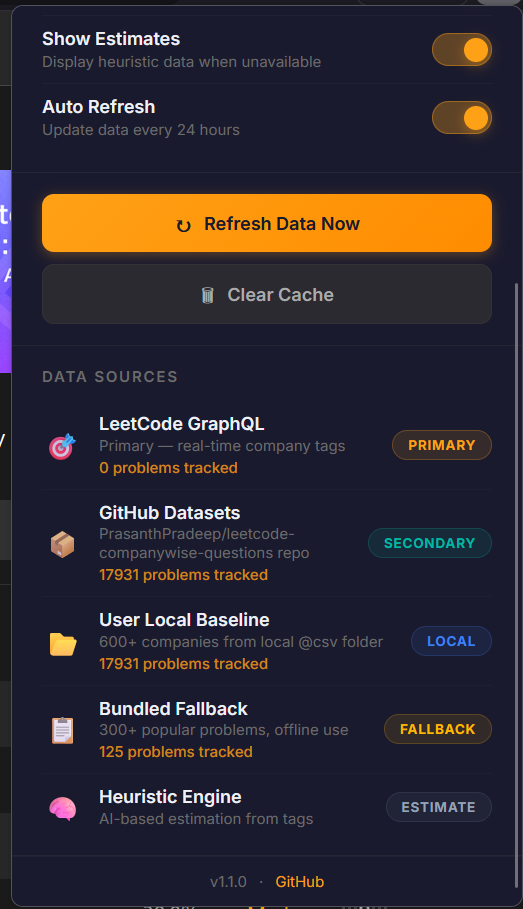
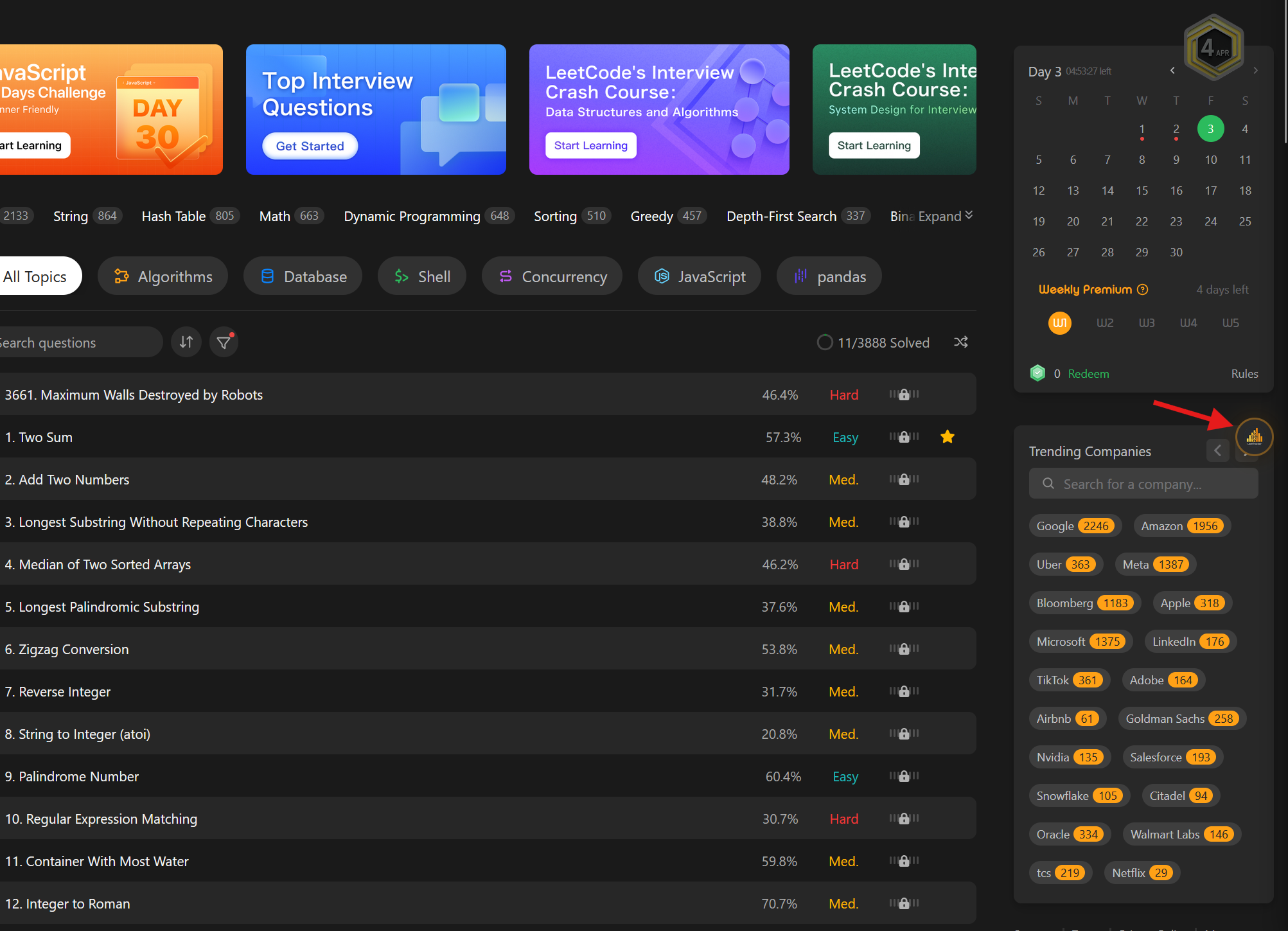
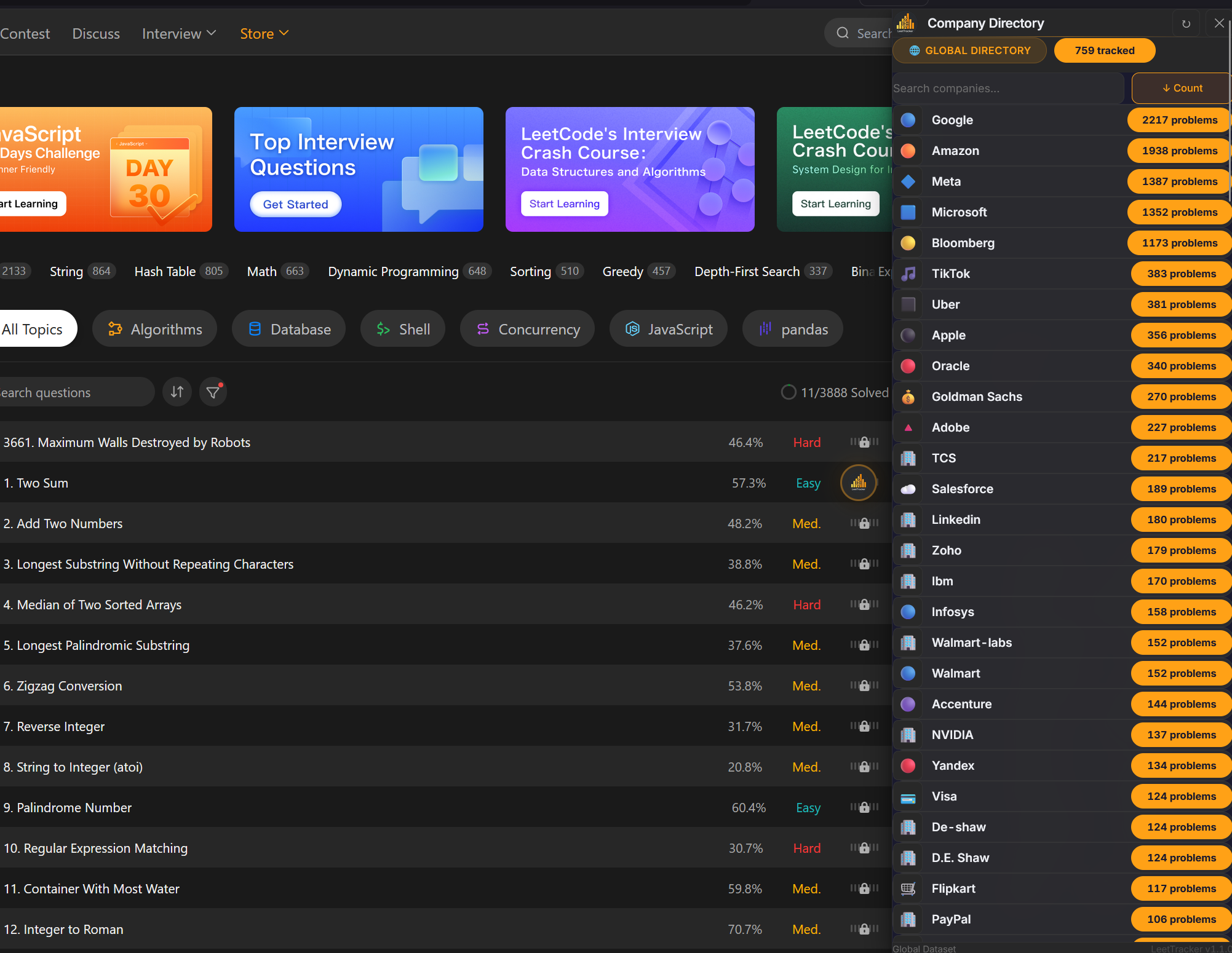
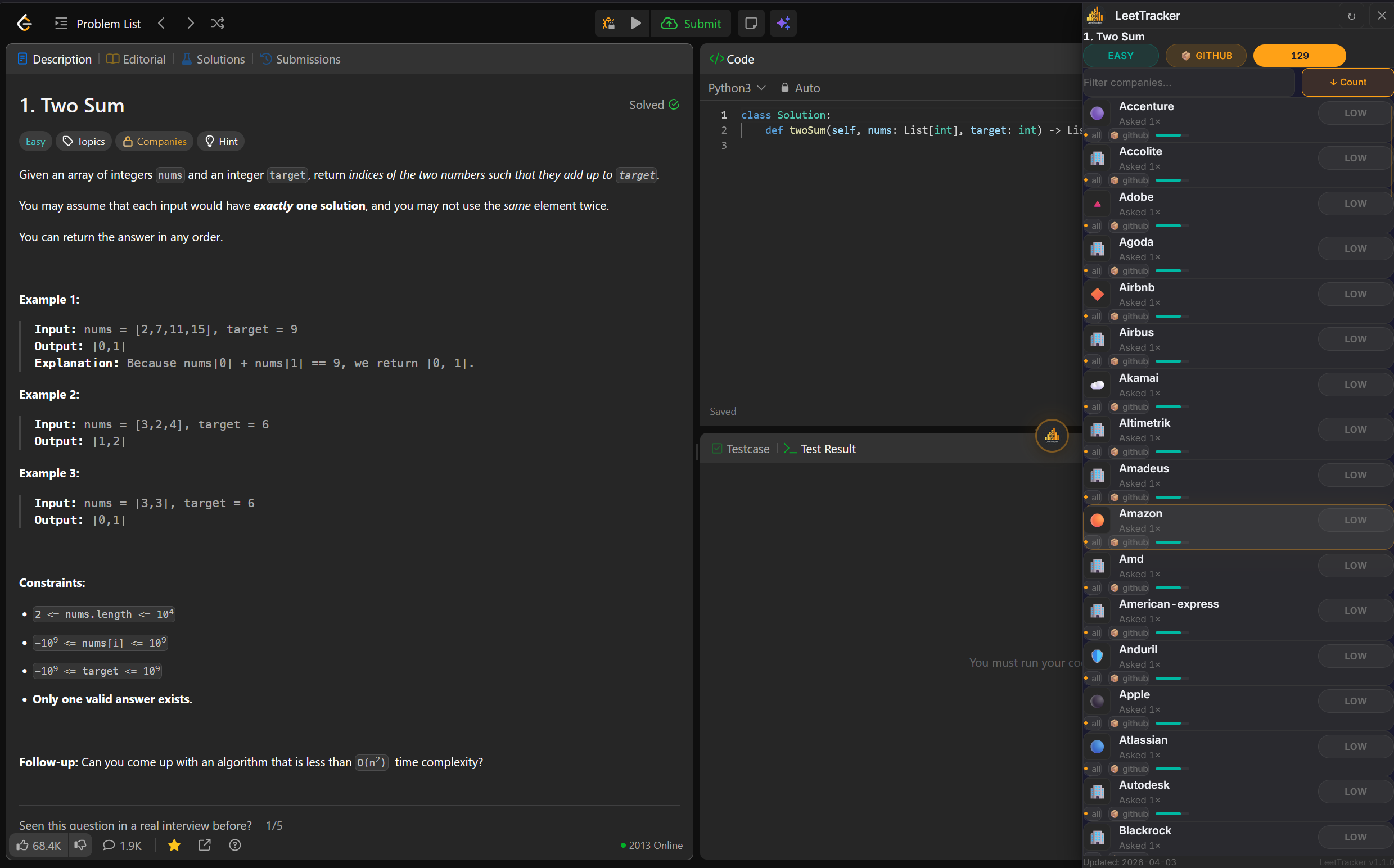
EXTENSION PREVIEW
We aren't a corporation. We are engineers who grind LeetCode just like you. We built this because we needed it just as much as you do.
DOWNLOAD EXTENSIONTired of Googling "Two Sum company frequency" in separate tabs?
We embed the data right inside LeetCode. No context switching. No premium subscriptions. Just the info you need, right where you need it.
See which companies have asked each problem, with frequency data from multiple curated sources—updated regularly.
SOURCE: MULTI-DATASETA clean, dark-mode compatible panel injected directly into the LeetCode problem page. No popups, no new tabs.
UI: INLINEAll data cached locally. Zero tracking. Zero analytics. Your browsing stays your business.
PRIVACY: MAXTo give every LeetCode grinder access to company frequency data — for free. No paywalls, no premium tiers, no gatekeeping.
To simplify interview prep through a single, trusted extension — delivering company context directly inside LeetCode. No corporate BS.
chrome://extensions in your browser.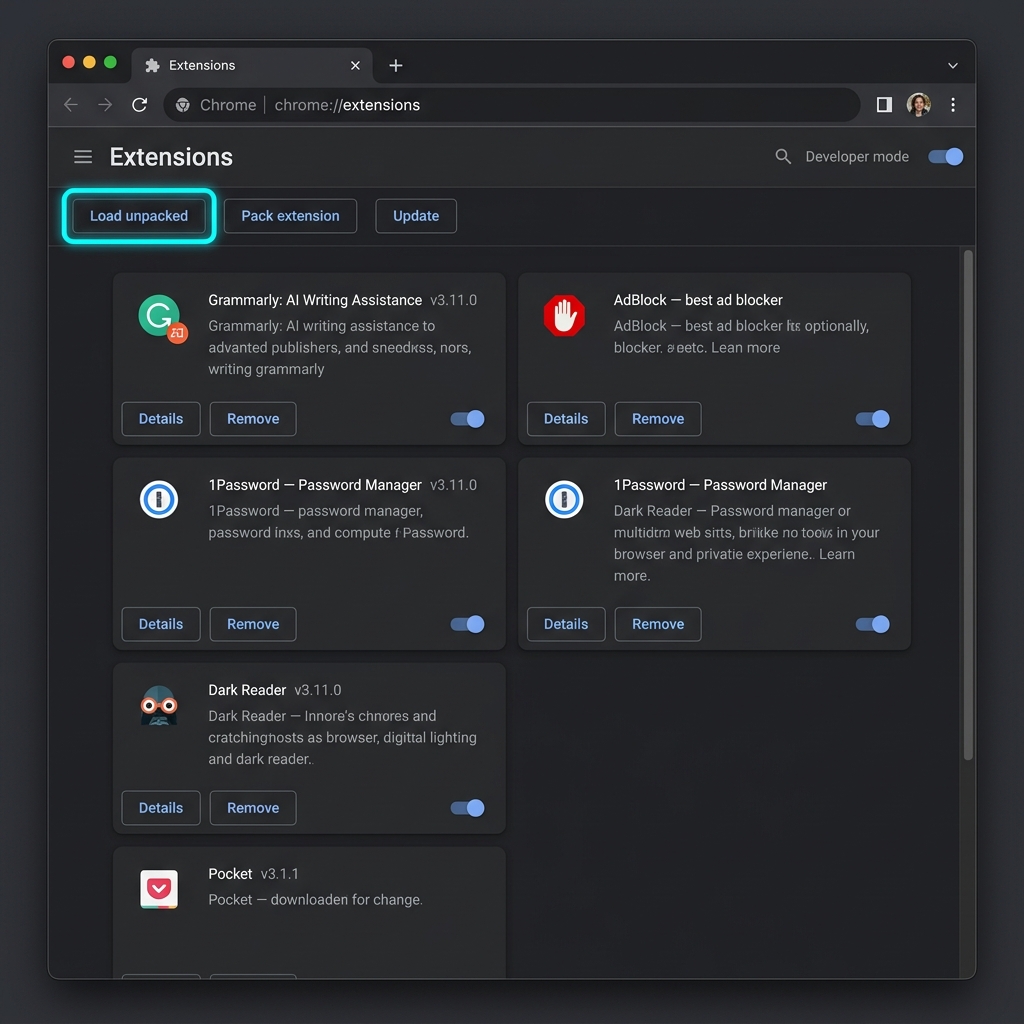
This is just the beginning. We're actively working on new features, enhanced data accuracy, and UI improvements to make your prep even smoother. More updates coming soon!
Are you a LeetCode Premium user or a dev? We need your help to verify data, contribute new interview questions and add new features. Join our open-source initiative and make an impact.
CONTRIBUTE ON GITHUBSupport us to keep it free!
Even ₹1 makes a huge difference ✨